6 Best AI Scheduling Assistants for Small Business Owners

The average back-and-forth email chain to book a single meeting takes several messages and often days. AI scheduling tools remove that friction by letting people book directly into your real availability, automatically accounting for time zones, buffer time, and existing commitments.
Why Manual Scheduling Wastes More Time Than You Think
The average back-and-forth email chain to book a single meeting takes several messages and often days. AI scheduling tools remove that friction by letting people book directly into your real availability, automatically accounting for time zones, buffer time, and existing commitments.
The 6 Best AI Scheduling Tools
Calendly — Best Overall
Calendly remains the most widely recognized scheduling tool, and for good reason: it's simple to set up, integrates with every major calendar platform, and its AI-assisted features (like automatically suggesting optimal meeting times and routing bookings to the right team member based on availability) work reliably without a complicated setup process. It's the safest default choice for most small businesses.
Screenshot pendiente: Calendly
Captura de pantalla pendiente
Reclaim.ai — Best for Protecting Focus Time
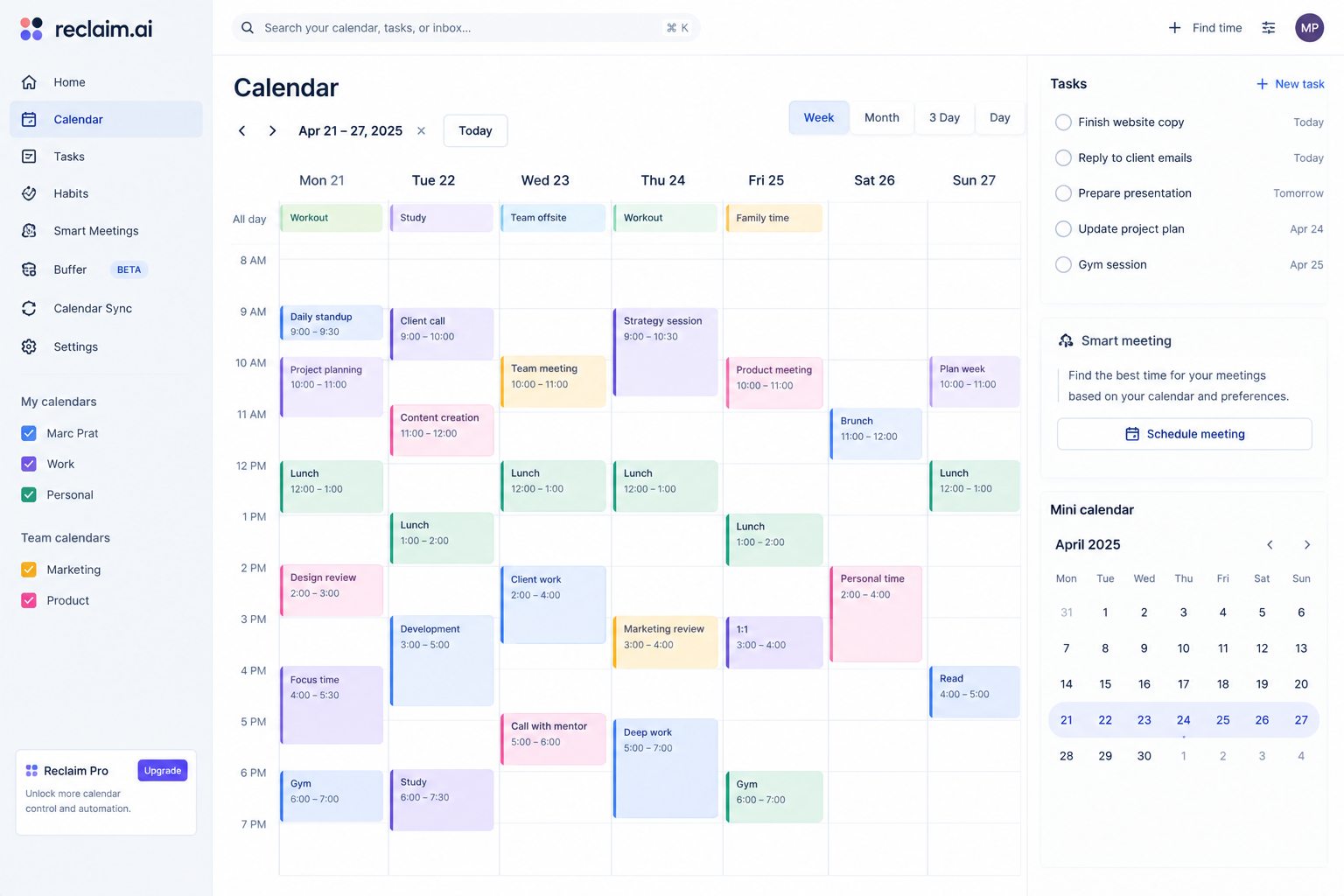
Reclaim goes beyond simple meeting booking to actively protect blocks of focus time on your calendar, automatically rescheduling flexible tasks and habits around meetings as your week changes. It's particularly useful for founders and solo operators who need to protect deep-work time from being eaten by an ever-shifting meeting schedule.
Motion — Best for Full Day/Task Planning
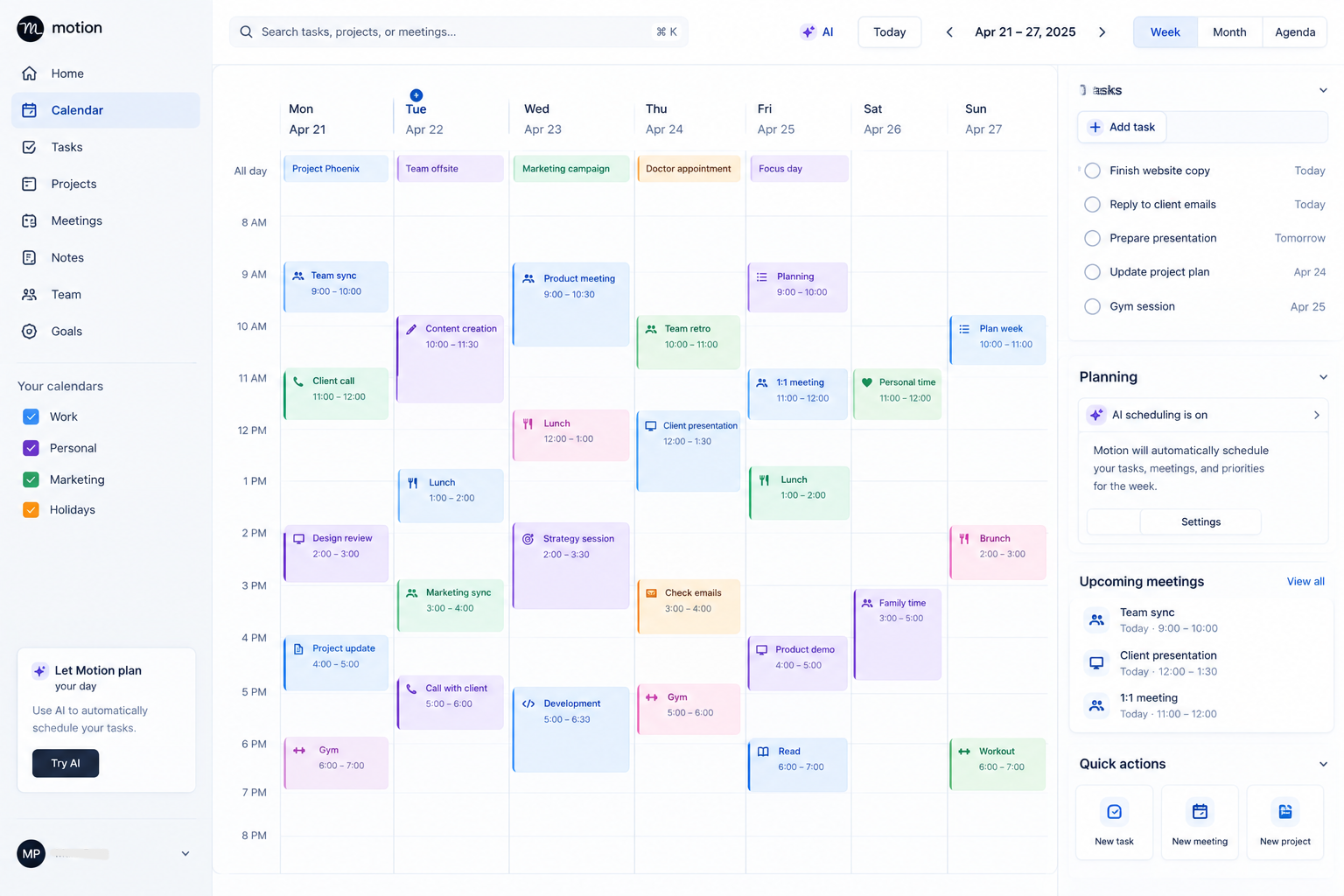
Motion combines calendar scheduling with task and project management, using AI to automatically build your daily schedule around both meetings and to-do items with deadlines. It's a more involved tool with a steeper learning curve than a simple booking link, best suited to business owners wanting one system for both meetings and daily task planning rather than separate tools.
Clara — Best for Human-Like Email Scheduling
Clara acts like a human scheduling assistant living inside your email, handling the back-and-forth conversation of finding a time that works, rather than relying on a booking-link approach. It's a good fit for businesses in relationship-driven industries (like consulting or business development) where a booking link can feel impersonal compared to an assistant-style email exchange.
Acuity Scheduling — Best for Service-Based Businesses
Acuity is built specifically for appointment-based businesses — salons, consultants, coaches, healthcare practices — with features like intake forms, package/membership scheduling, and automated appointment reminders that reduce no-shows. It's a stronger fit than Calendly for businesses where scheduling itself is a core operational function, not just a meeting-booking convenience.
Doodle — Best for Group Scheduling
Doodle specializes in finding a time that works across multiple people's calendars, which single-person scheduling links handle poorly. For recurring group meetings, board calls, or coordinating with clients who have several stakeholders, Doodle's group-polling approach remains the most efficient option.
Features That Actually Matter
Beyond the basic booking-link functionality, look for automated reminder emails/texts (which measurably reduce no-shows), buffer time settings between meetings, time zone auto-detection for remote or international clients, and integration with your existing calendar and video conferencing tools so meetings are created without manual steps.
Frequently Asked Questions
Do these tools work with Google Calendar and Outlook?
Yes — all six tools above support both major calendar platforms.
Can scheduling tools reduce no-show rates?
Automated reminder emails and texts, offered by most of these tools, are documented to meaningfully reduce no-show rates compared to manual or no reminders.
Which is best for a solo consultant?
Calendly or Clara — Calendly for simplicity, Clara if you prefer a more personal, conversation-style scheduling experience for client-facing communication.